Automation, bots, help center and AI
Rules, assignment and SLA policies take the routine off your team, bots answer first, a help center answers the common questions, and AI helps agents write, only when you turn it on.
Let the rules do the routing, so your people do the talking.
Rules react to events or to time passing, check conditions and run actions, in the order you set. Macros bundle the clicks an agent repeats fifty times a day into one button. Your team spends its attention on customers, not on housekeeping.

What you can automate
- React to new conversations, messages, status changes, reopened conversations, bot hand-offs and satisfaction ratings
- Or to time: a customer waiting on the team, no reply from the customer, or open too long, counted in business hours, holidays included, if you like
- Start from six ready-made templates, from VIP priority to after-hours replies, and review each before it goes live
- Tag, assign, remove a team, prioritise, snooze, resolve, reply, add a note, set a custom attribute, mark the files as personal data, hand to a bot or a flow, or send a signed webhook
- Data connectors pull customer details from Stripe, Shopify, HubSpot or your own API into attributes and a panel beside the conversation, no code needed
- Rules run top to bottom, each with its own hourly budget, a test against a real conversation and a run log
- Assignment per team or per inbox: round robin or balanced by load, with the skills a conversation needs and each agent's capacity, and waiting conversations handed on when an agent goes offline
- SLA policies set first-response and resolution targets by inbox and priority, on the wall clock or in business hours; a breach can trigger a rule or a webhook
- Rules, macros, assignment, chatbot flows and the run log live in one Automation area; a macro applies several actions in one click, a signed webhook included
- Every rule runs with the permissions of the person who created it, loops are stopped, and every action lands in the audit trail
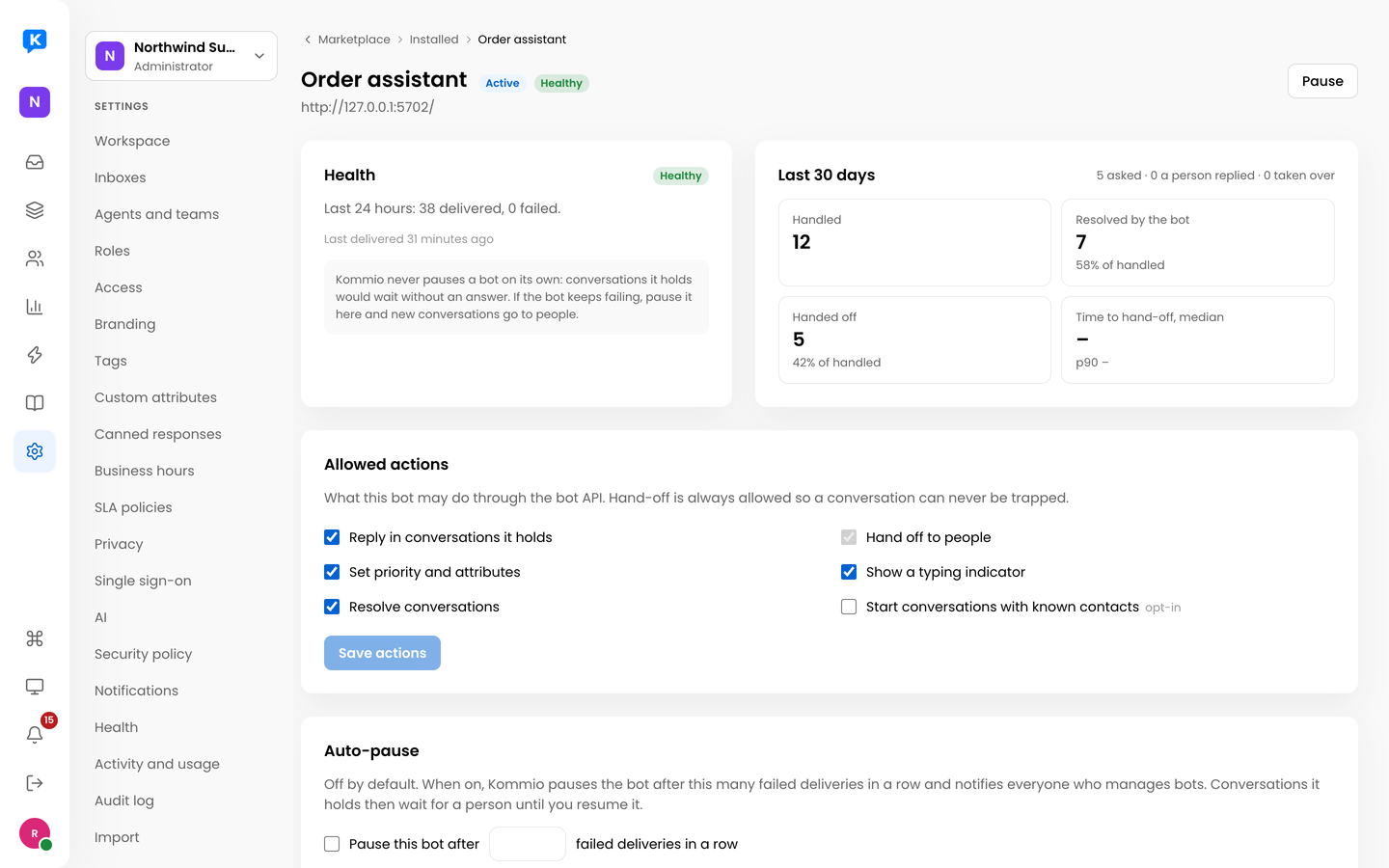
Your bot answers first. A person takes over when it matters.
Build a chatbot flow on a visual canvas, or connect your own bot. Each inbox runs its flows and bots in the order you set, and a hand-off to a person is always allowed, so no conversation gets trapped.
- Flows send buttons, ask questions, check conditions, save answers to the contact and hand off with a note of what they collected
- Test a flow in the simulator, and see on the canvas how many people reach each step
- Several flows and bots per inbox, each with conditions such as page, campaign, language or business hours
- Every delivery to your bot is logged, retried and can be replayed
- Health at a glance, and an optional automatic pause after repeated failures that tells your administrators
- Reports per bot: conversations handled, resolved by the bot, hand-offs and time to hand-off
- Rules can hand a conversation to a bot or a flow, and a bot can start conversations when you allow it
Answers your customers can find on their own.
Write articles once, in every language you support, and publish them to a fast public help center and a Help tab in your chat. When an article is not enough, the chat is one tap away, and your agent sees what the customer was reading.
Collections and versioned articles
Organise articles into collections, write each one in your languages, and keep every published version to compare or restore.
Public, internal or AI only
Each article is public, visible only to your team, or kept for AI only, so internal know-how stays inside and customers see only what is meant for them.
Found by search engines
Fast server-rendered pages with search, a sitemap, language links and structured data, and a "Was this helpful?" question under every article.
Help inside the chat
A Help tab in the widget with search, popular articles and feedback. "Chat with us" starts a conversation that already names the article.
Answers in the composer
Agents search the knowledge base while they reply, insert an answer or a link, and turn a good reply into a draft article with personal details removed.
Nothing published by accident
Administrators and supervisors manage the content, everyone with access can read it, and nothing goes live until an editor publishes it.
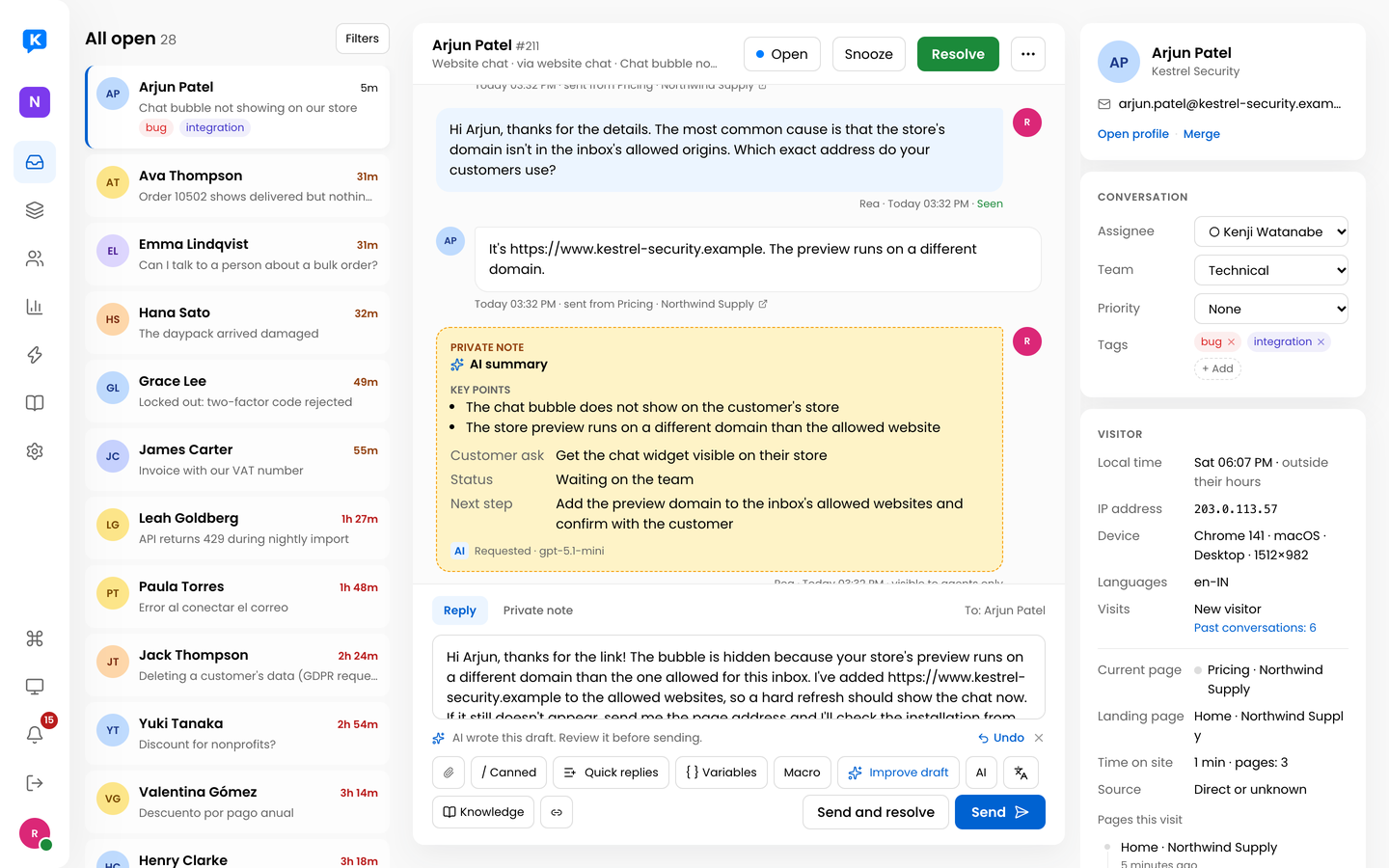
An AI summary in the thread and a suggested reply ready to edit.
AI that drafts, tidies and summarises, and answers customers only when you let it.
Turn on AI and your agents get a draft of the next reply, a friendlier or shorter version in one click, a translation into the customer's language and a summary of long threads. On Kommio Cloud it runs on a free monthly AI allowance with no key needed, or on your own Anthropic or OpenAI-compatible key with a monthly budget you set. Kommio marks nothing up.
- Suggest reply streams a draft into the composer; the agent edits and sends it
- Friendlier, more formal, shorter, fixed grammar, or translated, each with Undo
- Summaries as a private note: key points, what the customer asks, where things stand and the next step
- An optional AI agent answers customers only from your knowledge base, cites its sources, and hands over to a person with a summary when it is unsure or asked to
- Teach it from your website and files, and approve answers learned from past conversations before anything is used
- Off by default, per workspace, with a monthly budget and usage by feature, person and model
- Payment and ID fields, card numbers and private notes are never sent; emails and phones only when the agent may see them
Ready to give your team one calm inbox?
Create a free workspace, connect one channel, and feel the difference on your own conversations today.